Home Projects Toolkit Social
Zipmunk app icon Zipmunk Free Pro $7.49 once

The Mac unzipper that does the boring part for you.

Opening a RAR, a 7z or a ZIP is the easy bit, and Zipmunk does it for free. Pay once and it does the rest without being asked: new downloads unzip themselves, zips inside zips come all the way out, and anything you send can leave your Mac locked with a password.

Coming soon to theMac App Store What Pro does →

Native Mac app, macOS 26 and later. iPhone and iPad companion on the way. No account, no ads, no servers.

Downloads Auto-Unzip on
  • Brand assetsfrom Brand assets.rar Unzipped
  • Client deliverya zip with 3 zips inside, all out 3 levels
  • Season 24-part RAR, waited for the last part 4 of 4
  • Invoices 2026locked, opened with a saved password Keychain
  • Fonts.7zjust arrived

What your Downloads folder looks like with Auto-Unzip on. You did not click anything.

You know what an unzipper does. That part is free.

No trial, no ads, no nagging. Double-click an archive and the files come out next to it.

  • Unzip RAR, 7z, ZIP, TAR, GZ, XZ, ISO, CAB
  • Multi-part RARs (.part1, .r00, .001)
  • Open password-protected archives
  • Look inside before unzipping
  • Squeeze into ZIP, 7z or TAR
  • Convert RAR to ZIP or 7z
  • Peek with the space bar (Quick Look)
  • Right-click actions in Finder
  • Fixes garbled names in Windows zips

Zipmunk Pro · one payment of $7.49

What one payment buys you

Auto-Unzip

Your Downloads folder unzips itself

Turn it on once. From then on every archive that lands in Downloads (or any folder you pick) comes out by itself, and the files are waiting for you before you even look. Multi-part RARs wait until the last part has finished downloading. Locked ones use the passwords you have already typed.
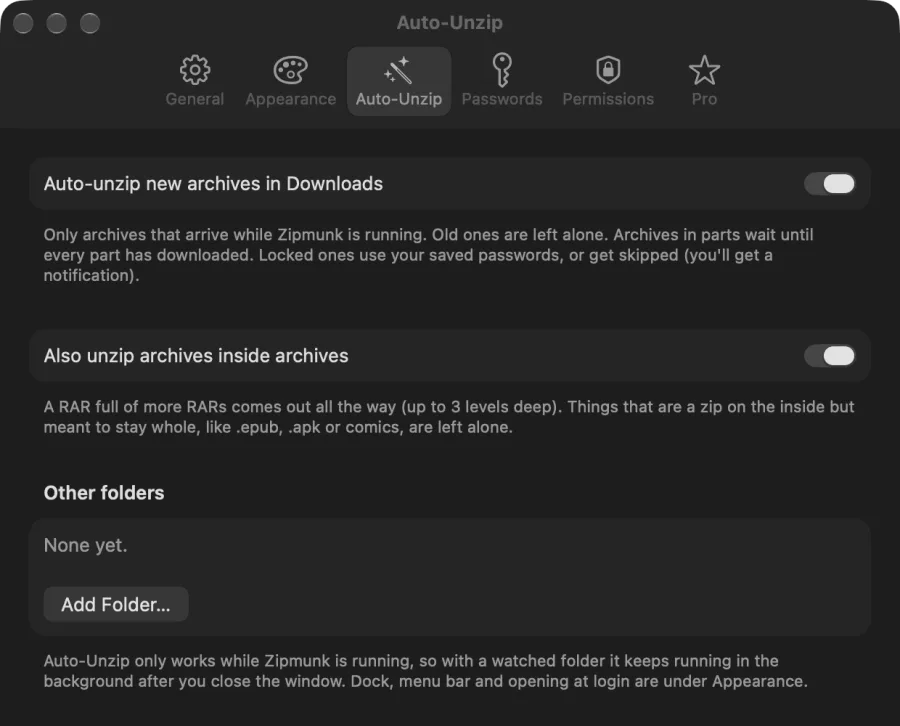
Zipmunk Auto-Unzip settings: auto-unzip new archives in Downloads, and also unzip archives inside archives
Archives inside archives

A zip full of zips comes out all the way

The client sends a ZIP with three more ZIPs inside, one of them a RAR with a 7z in it. Zipmunk keeps going, up to three levels deep, until you have plain files. Things that are a zip on the inside but meant to stay whole, like .epub, .apk or comics, are left alone.

Client delivery.zip
Logos.zip
Photos.rar
Raw files.7z
Brand book.epub left whole
Client deliveryLogos · Photos · Raw files · Brand book.epub
Lock with a password

Send it locked, AES-256

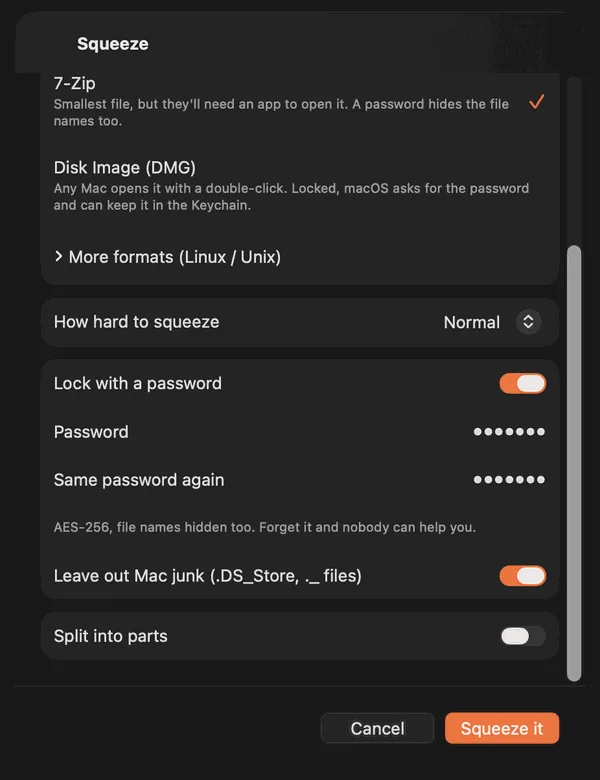
Flip one switch while squeezing and the archive is encrypted. ZIP opens anywhere with the password; 7z hides even the file names; a locked DMG opens on any Mac with a double-click and no extra app. You type the password twice, so a typo can never lock you out of your own files.

Zipmunk squeeze sheet with 7-Zip selected and Lock with a password turned on

And everything else in Pro

Same one payment. No feature is held back for a higher tier, because there is no higher tier.

Zipmunk: Cheek pouch in the menu bar

Cheek pouch in the menu bar

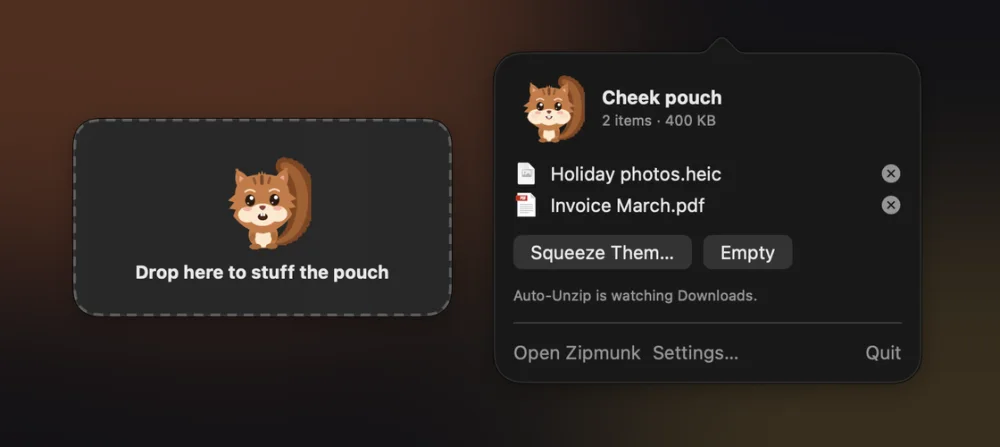
Drag files onto the squirrel in the menu bar from anywhere, all day: Finder, Mail, the Desktop. They pile up in its cheeks, and when you are ready you squeeze the whole pile in one go.

Squeeze and get a link

Press Get Link next to anything you just squeezed and a download link from your own iCloud Drive is on your clipboard. Paste it anywhere. The files never touch our servers, because there are none.

Get files containing invoice from Archive
Split Files into 25 MB parts
Get details of Archive
Shortcuts app icon

More Shortcuts actions

Unzip, Squeeze and Convert are free in the Shortcuts app. Pro adds List Archive Contents, Get Files from Archive, Split File into Parts and Get Archive Details, so you can build your own automations.

Zipmunk: Passwords it remembers

Passwords it remembers

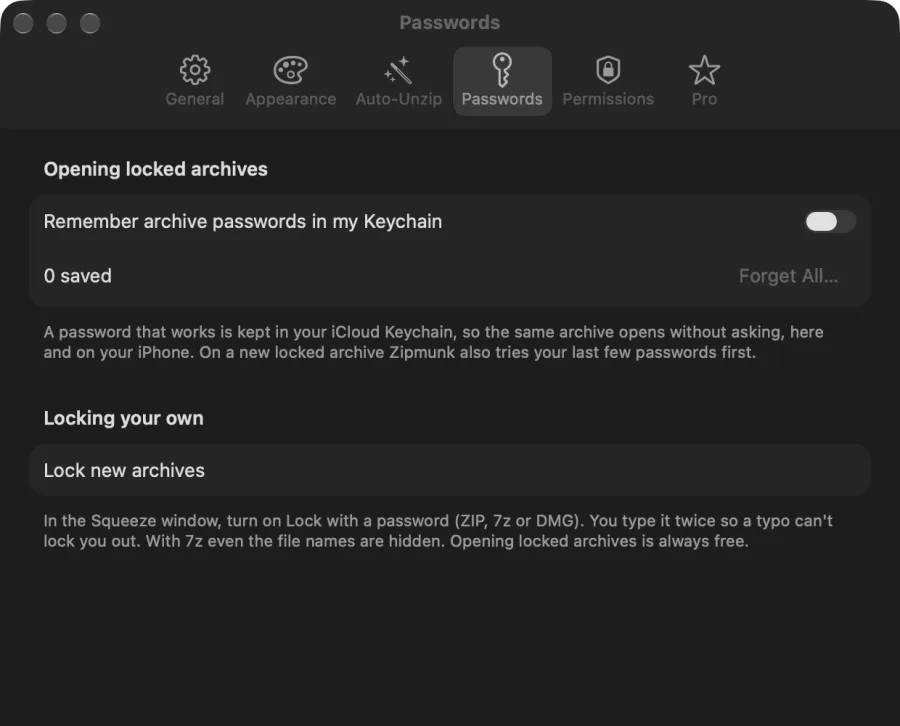
Type a password once and it goes into your iCloud Keychain, tied to that archive. Next time it just opens. On a new locked archive it tries your last few first, because people reuse them.

Zipmunk: Split into parts

Split into parts

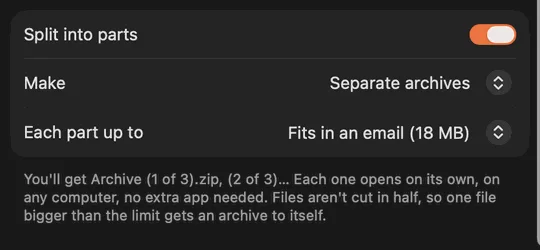
Too big for email or Discord? Pick a size (email, Discord, WhatsApp, DVD or your own) and get several smaller zips that each open on their own, on any computer.

Zipmunk: Edit without unzipping

Edit without unzipping

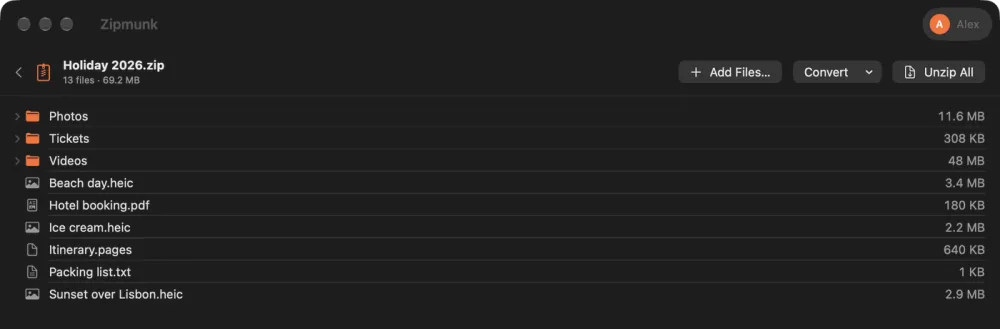
Add, delete or rename files inside a ZIP, 7z or TAR. No unzip, no re-zip. A locked archive stays locked with the same password.

Zipmunk: Comic reader

Comic reader

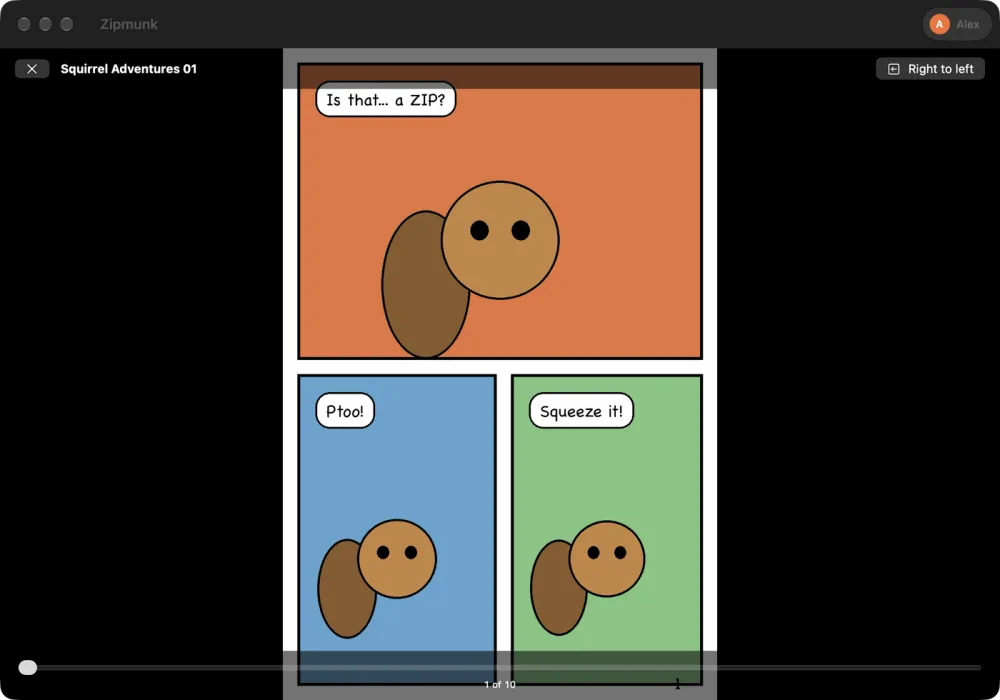
Read .cbr, .cbz and .cb7 page by page, right to left for manga. It remembers the page you got to in every comic.

Drag one file out

Need one PDF from a 4 GB archive? Drag it from the list straight to Finder or any app. Only that one file gets unzipped.

Locked disk images

A password-protected DMG that any Mac opens like a USB stick. The right way to send private files to someone on a Mac.

Coming to iPhone and iPad

Your pocket gets a Zipmunk too

Someone sends you a RAR and you are not at your Mac. The companion app opens it on your iPhone or iPad, and it is the same purchase: Pro unlocks everywhere you are signed in.

Unzip from anywhere

Share a zip from Mail, Messages or Safari to Zipmunk and it comes out in your files, without leaving the app you were in.

Lives in the Files app

Everything goes to iCloud Drive › Zipmunk or On My iPhone, and the space-bar peek works in Files too: see inside a RAR before opening it.

Same Pro, no second payment

One purchase covers Mac, iPhone and iPad. Your saved archive passwords follow you through iCloud Keychain.

Coming soon to theApp Store iPhone and iPad
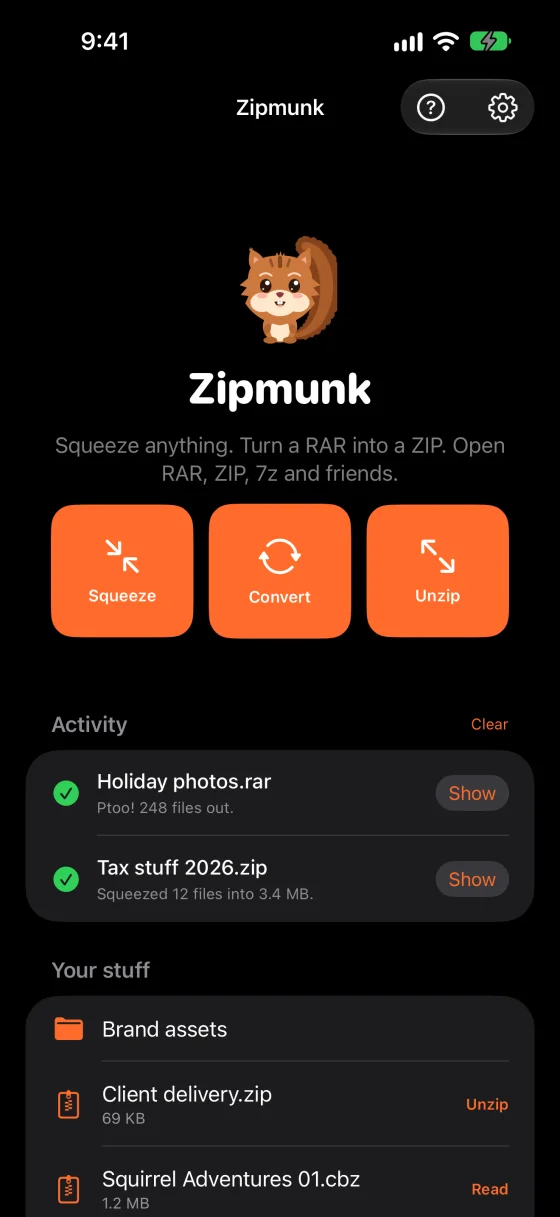
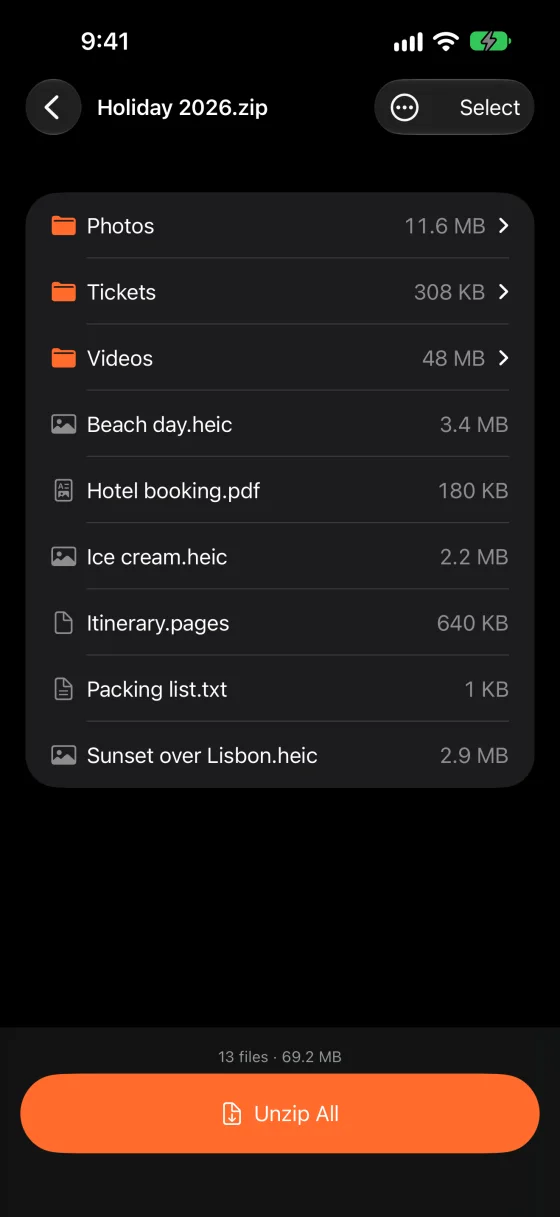
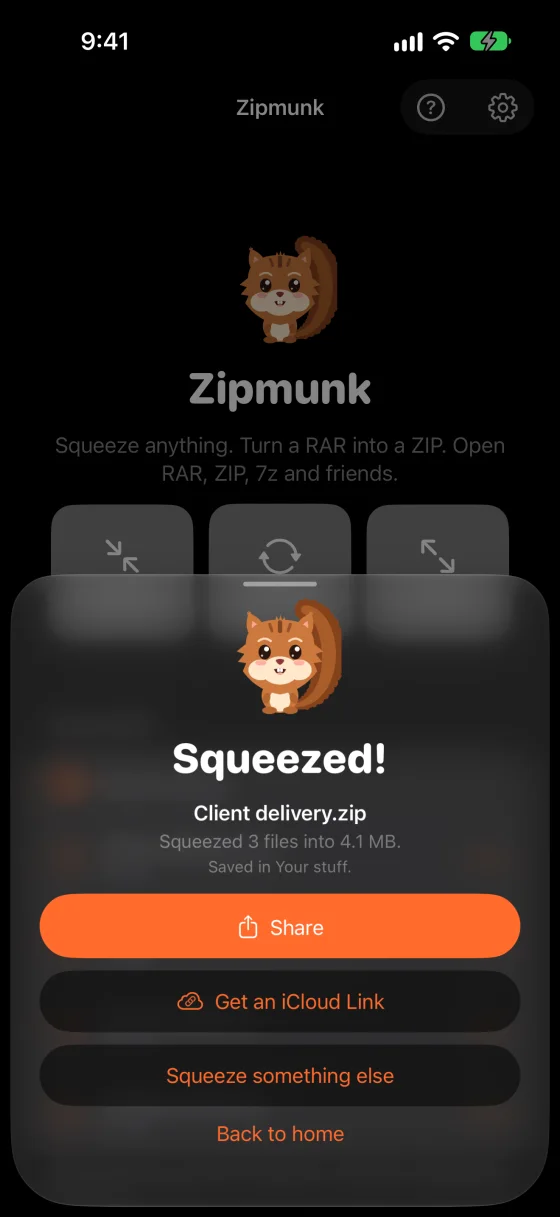
Zipmunk on iPhone: Squeeze, Convert and Unzip buttons, recent activity and your filesZipmunk on iPhone showing what is inside Holiday 2026.zip, with an Unzip All buttonZipmunk on iPhone after squeezing: Share, Get an iCloud Link, Squeeze something else

Pay once. That is it.

Zipmunk Free

Forever, with no ads.

  • Unzip every common format, RAR and 7z included
  • Open password-protected archives
  • Look inside, squeeze, convert
  • Finder right-click and Quick Look
Best value Zipmunk Pro Lifetime $7.49one time

Yours for good. Nothing to renew, nothing to cancel.

  • Auto-Unzip for Downloads and any folder
  • Archives inside archives, up to 3 levels
  • Lock with a password: AES-256 ZIP, 7z and DMG
  • Remembered passwords, split, edit, drag out, comics, pouch, links, Shortcuts

Try first: the one-off Pro features come with 3 free uses each. Prefer to support the app as it grows? The same Pro is also $0.49 a month or $4.99 a year. US prices; the App Store shows yours in local currency.

Questions

Is Zipmunk free?

Yes. Unzipping RAR, 7z, ZIP and the rest, opening password-protected archives, looking inside, squeezing, converting and the Finder right-click actions are all free, with no ads, no trial and no account. Zipmunk Pro is an optional one-time purchase that adds the automatic and power features.

Is Pro a subscription?

No, not unless you want it to be. Pro Lifetime is a single payment of $7.49 (US price; the App Store converts it in other countries) and it is yours for good. There is also a $0.49 monthly and a $4.99 yearly option, which unlock exactly the same Pro, for people who prefer to support the app as it grows.

Can I try Pro before buying it?

Yes. Locking with a password, editing archives, splitting, locked DMGs, the comic reader, dragging files out and iCloud links each come with 3 free uses, so you can see them working on your own files first.

Does Auto-Unzip work when Zipmunk is closed?

It needs Zipmunk running, so when you turn it on the app keeps going quietly in the background with a small squirrel in the menu bar, and it can start at login. Only archives that arrive after you switch it on are unzipped; the old ones in your Downloads folder are left alone.

Can Zipmunk create RAR files?

No. The RAR compressor belongs to its inventor and no third-party app is allowed to write RAR. Zipmunk opens every RAR (RAR 4 and 5, locked, multi-part) and can convert any of them to ZIP or 7z in one click.

Do my files go anywhere?

No. Everything happens on your Mac. Zipmunk has no servers and no analytics. Saved passwords live in your own iCloud Keychain, and the optional share links are made by Apple from your own iCloud Drive.

Is there an iPhone or iPad version?

Yes, a companion app for iPhone and iPad is on the way. It is the same app on the App Store, so Zipmunk Pro is bought once and unlocks on your Mac, iPhone and iPad with the same Apple Account. Saved passwords travel between them through your iCloud Keychain.

Zipmunk app icon

Stop babysitting your Downloads folder.

Free to unzip anything. $7.49 once to never think about it again.

Coming soon to theMac App Store